Allure TestOps 4.12.0 Feature Review
We've added a whole bunch of new features to Allure TestOps - let's take a look at the most exciting ones together!

Allure TestOps 4.12.0 Feature Review
Since the last feature review, we've put a lot of effort into making your workflow smoother and safer, and we really hope you'll like the results! For the full changelog, you can view the release notes; here, let's go over some of the more interesting stuff.
Breaking changes and warnings
But first things first - a few warnings.
- Upgrading to release 4.11.0 is irreversible, you won't be able to roll back.
- For the release 4.12.0 to run, you're going to have to update the configuration (click here for more info).
- As of January 1st, 2023, PostgreSQL releases less than 14 will no longer be supported - though you'll still be able to run Allure TestOps versions released before January 1st, 2023. Details are available on this page.
Now, for some good news:
Introducing permission sets
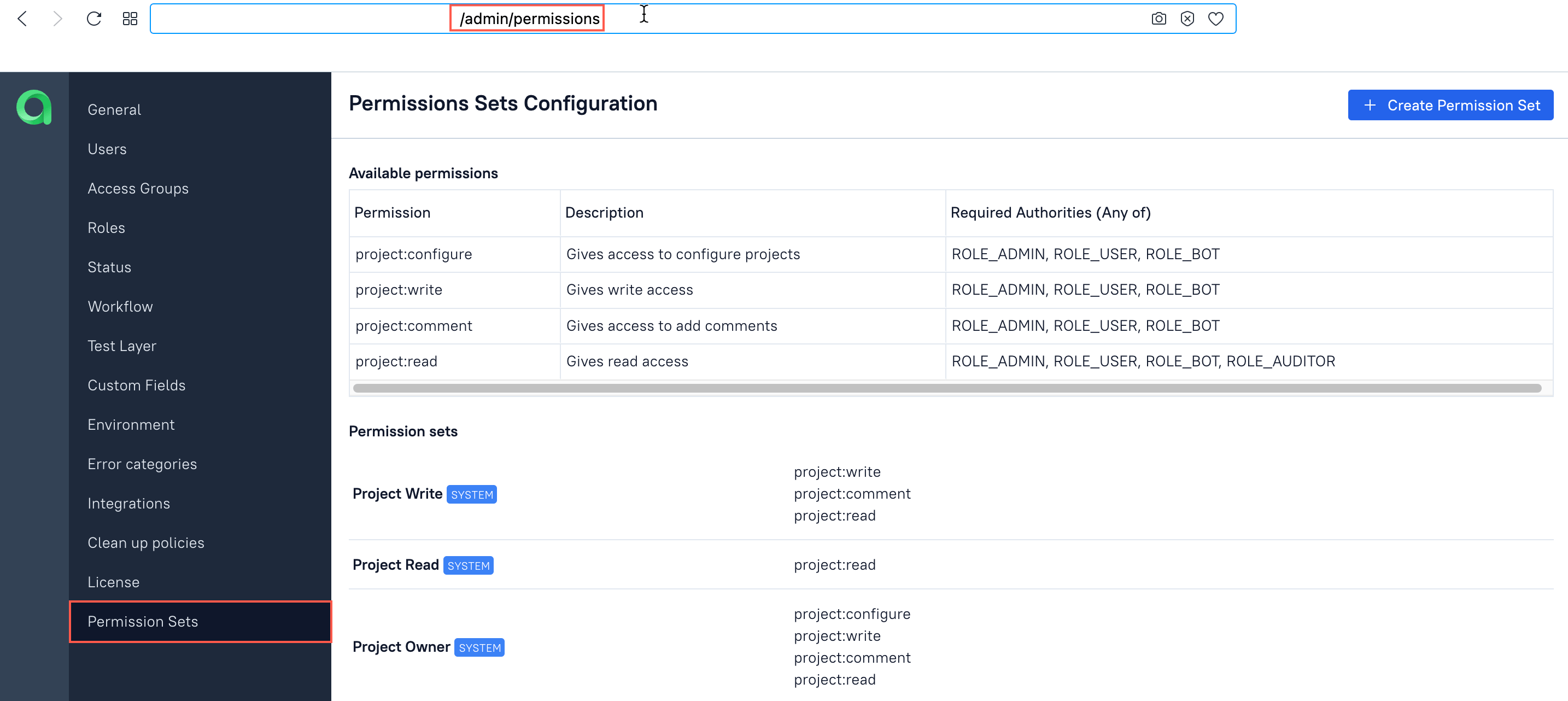
In 4.8.0, we've added permission sets that can be managed by an administrator. Let's say you want the analysts in your team to be able to discuss the details of test cases, but not be able to alter them. To achieve that, the admin can go to the following window to create a permission set:
Then, they can add the 'project:read' and 'project:comment' permissions to that set:
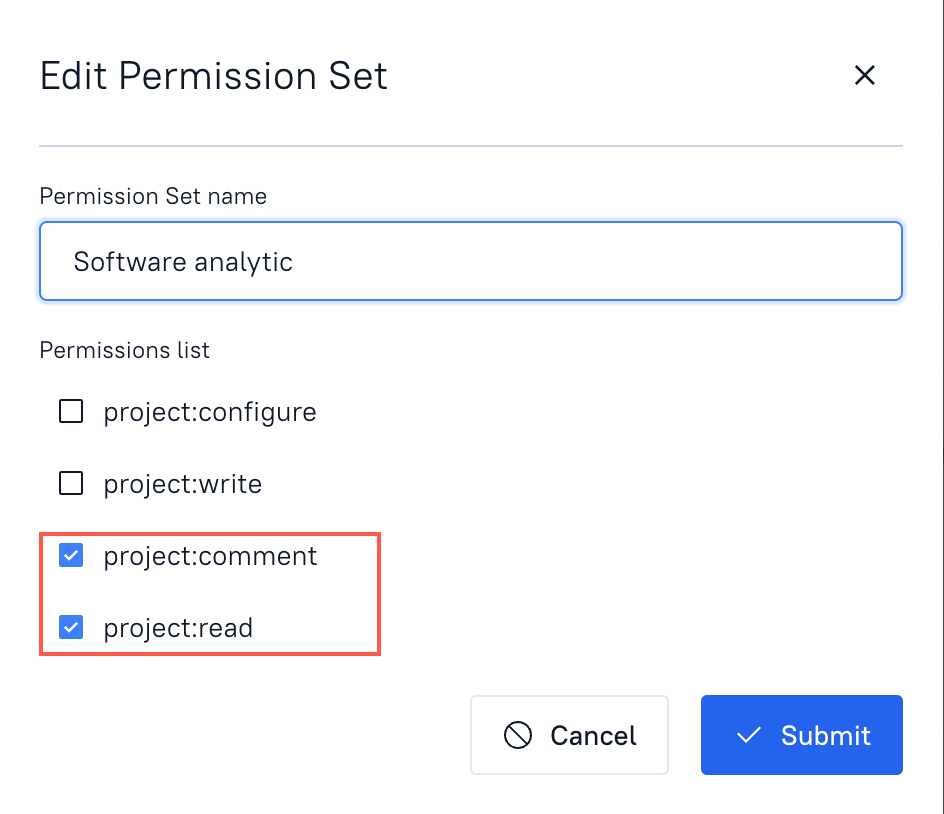
The set can then be assigned to a specific end user or access group - in our example, to the analysts. For more information about permissions, read the documentation.
GitLab issue tracking
In a previous version, we've already added an integration with GitLab that allowed creating issues from Allure TestOps. Now, you'll also have the ability to link test cases, launches, and defects to existing issues so that you'll have to spend less time looking for the issues.
Storing test results in the database
Test results are now stored in the general database and not in the file system. In other words, the architecture of Allure TestOps will change like this:
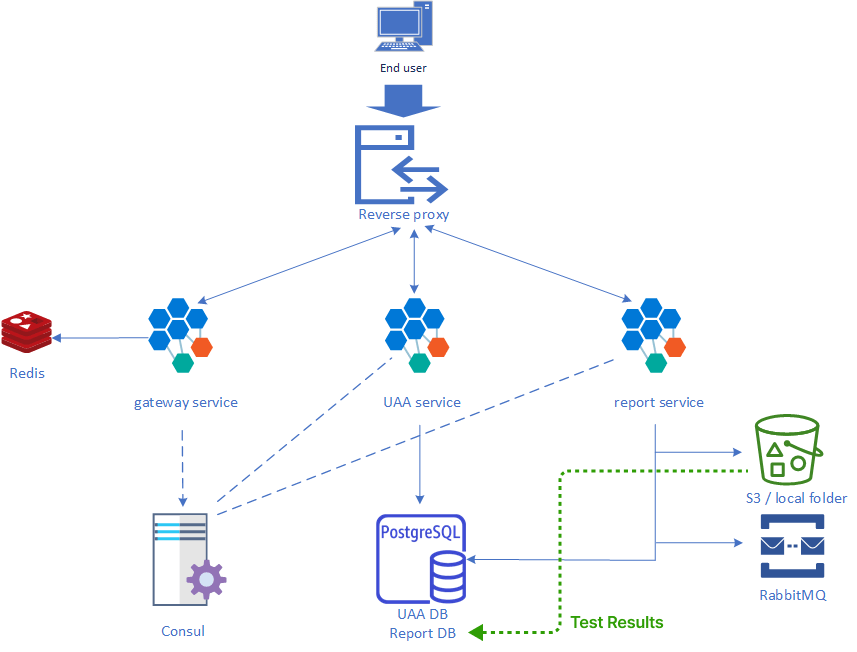
Don't worry though, the old test results won't have to be migrated to the database all at once. They will stay in the filesystem until they've all been gradually removed with automatic cleanups.
Learn more about Qameta Software
Qameta Software focuses on developing amazing tools to help software testers. Learn more about Allure Report, a lightweight automation reporting tool, and Allure TestOps, the all-in-one DevOps-ready testing platform.
Stay tuned and subscribe to our Monthly Newsletter (below) or follow us on LinkedIn and Twitter.